 Wavefunction
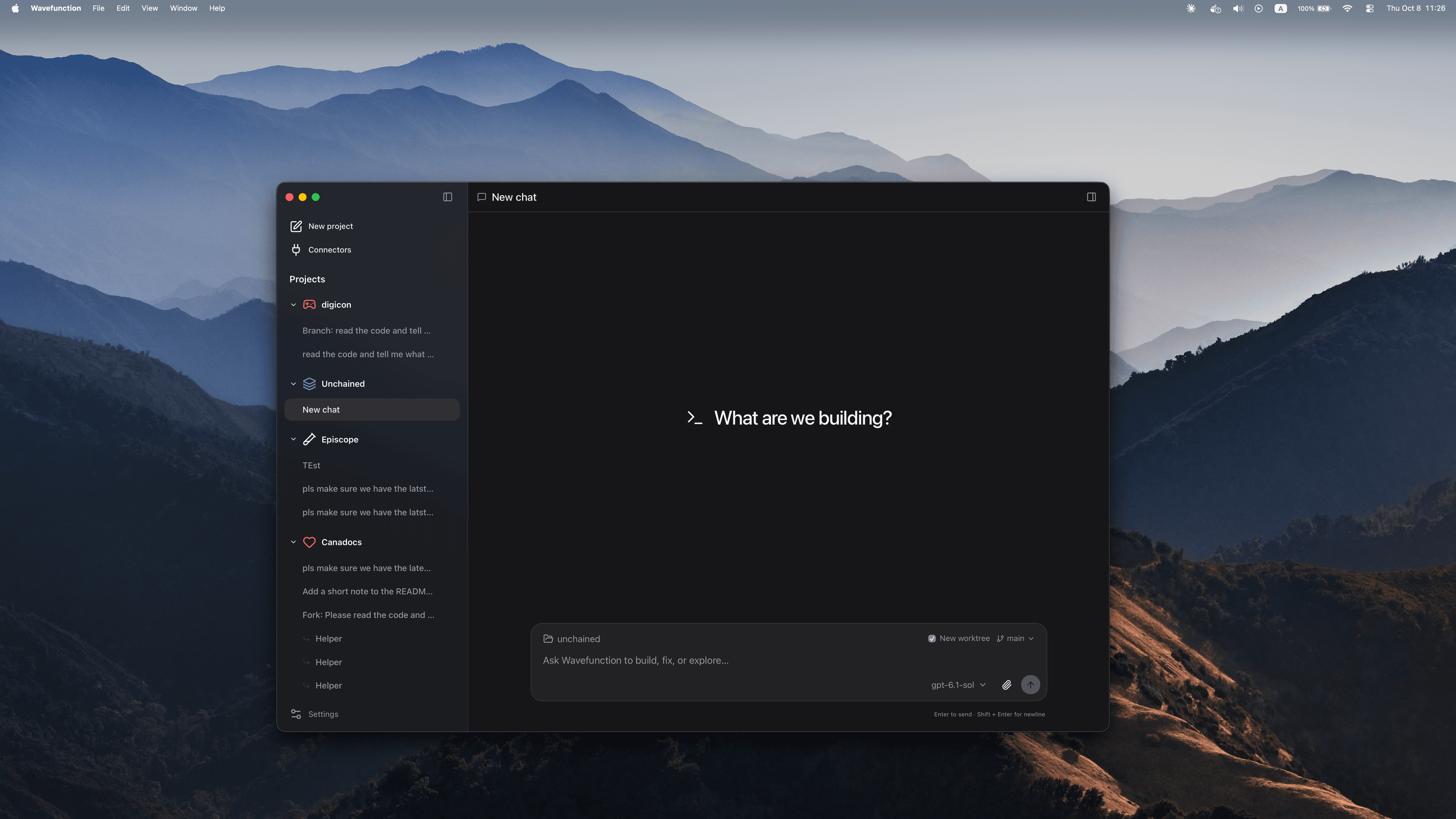
Minimal by design. Built to keep up.
A fast, open-source coding agent for your Mac. Keep the conversation going while it works on several tasks at once.
Free and MIT licensed. Use local models, your own API keys or a ChatGPT sign-in.
Why Wavefunction?
Agent apps keep growing.
Coding agents are turning into super apps, adding more with every release. Wavefunction goes the other way: less is more, simpler is better, and building comes first.
Free to choose.
Pick any model and switch whenever you like. Run models locally or require zero data retention. You’re never tied to one provider’s plans or limits.
Open source, on the desktop.
Most open-source agents shine in the terminal. Wavefunction is built to be a great desktop app: minimal, considered and fast, and open source down to the prompt.
Less is more.
One agent. A conversation. More room to focus on your code.
Fewer sidebars. Fewer tabs.
Simple, clean, minimal interface. The conversation stays at the center.
Your browser, always.
No built-in browser. Links open in your default browser, with the setup you already use.
Just a coding agent.
No dots, bots, built-in apps of all kinds, or a million extra features. Just the tools to get things done.
Computer use in a VM.
Your own computer stays under your control. The agent works in an isolated virtual desktop when it needs computer use.
Optimized for parallel workflows.
Keep the conversation going. Ask anything anytime. Wavefunction steers and orchestrates subagents in parallel, picks up your request at any time, and brings their work together.
Secure and private.
Use local models or require zero data retention from your provider.
Local models
Your provider
ZDR
Open source, down to the prompt.
Interested in contributing? We welcome new contributors.
Track every token and every dollar.
Track token usage, cache usage, and provider-reported costs in one place. See what you use, what you spend, and how it changes over time.
- Total tokens
- 1.28M
- Reported cost
- $6.42
An example of daily token usage over fourteen days, totaling 1.28 million tokens.
Connectors and skills.
MCP connectors.
70+ ready-made connectors, plus any MCP server you add.
Skills and instructions.
It follows your AGENTS.md and loads SKILL.md skills from .agents, .codex and .opencode folders.
Frequently asked questions.
Is Wavefunction free?
Yes. Wavefunction is free and open source under the MIT license. You bring your own models or provider account; any model usage charges come from your provider.
Which models can I use?
Use local models through Ollama or a compatible server, connect OpenAI, OpenRouter, or Vercel AI Gateway, or sign in with ChatGPT. Choose the model that fits each conversation.
How do I keep my work private?
Your conversations and settings are stored on your computer. Use a local model to keep model inference local, or configure a provider with zero data retention. The models and connectors you choose determine which services receive your data.
How does parallel work happen?
Describe what you want in one conversation. Wavefunction can split work across subagents, take follow-up instructions while they run, and bring their work back together. You can keep talking as the work moves forward.
Can I use my existing tools and instructions?
Yes. Connect your tools through the built-in connector catalogue or add an MCP server. Wavefunction also reads your AGENTS.md instructions and loads SKILL.md skills, so it can work with the setup you already use.
Which platforms are supported?
Wavefunction is currently available for macOS. Download the app, connect a model, and start a conversation.